Android
Sign in to your account through your browser. Add a home-screen shortcut to open Duel directly next time.

Play Duel in your browser on Android or iPhone. Sign in with your existing account and use the same balance as on desktop. You don’t need to download a separate app.
18+. Gamble responsibly.
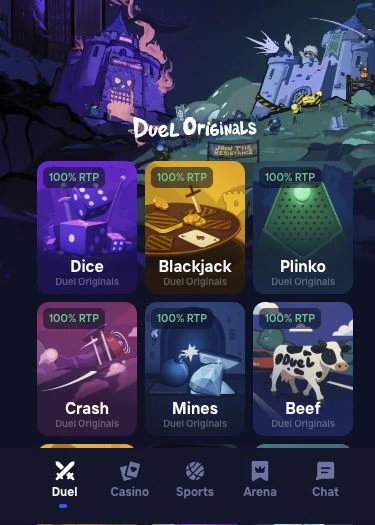
On an Android phone, you can open Duel in Chrome, for example, or use Safari on an iPhone. All you need is an internet connection and an up-to-date browser. You can also sign in to your Duel account on a tablet.
No download is required to play in your browser. You don’t need to install an APK file on Android or get an app from the App Store on iPhone.
Age and country restrictions apply on mobile too. Switching devices or browsers does not lift an account suspension or country restriction.
Sign in to your account through your browser. Add a home-screen shortcut to open Duel directly next time.
Open Duel directly in Safari or add an icon to your home screen. Your login details stay the same.
The home-screen icon opens the Duel website. You’ll still need an internet connection and may need to sign in again.
 Android with Chrome
Depending on your version of Chrome, the option may also be called “Add to Home screen”.
Google Chrome Help iPhone with Safari
If the option isn't visible, you can add it through “Edit Actions” at the bottom of the Share menu.
Apple Safari SupportYou can sign in to your existing Duel account through the saved icon as well.
Enter your username or registered email address and password on the login screen. If you created your account with Google or Steam, use the same service and account on mobile.
Select “Forgot password?” to request a recovery link to your registered email address. If you haven’t added an email address or can no longer access your inbox, contact our support team at [email protected].
Don’t have an account yet? Under “Register”, you can sign up with a username and password. An email address and referral code are optional. If you add an email address, you’ll be able to reset your password by email later.
Always sign out after playing on a shared device. Never share your password or recovery link.
In our Originals, you can set your win chance in Dice, reveal tiles in Mines or drop the ball in Plinko. The casino also offers slots and live tables. Playing on mobile doesn’t change the rules or payouts. Our Originals have a theoretical RTP of 100% with optimal play. This long-term figure does not guarantee a return on any individual round.
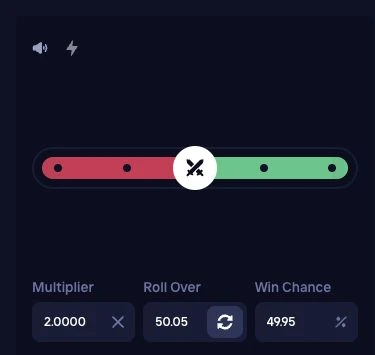
Landscape mode may give you more room for games with a wide layout. If the screen doesn’t rotate, your device’s orientation lock may be on. You may need to sign in again when switching between apps or browser tabs.
In Duel Blackjack Beta, you watch the action through a live video feed and make your decisions using the game interface. Rounds at the table continue even if your connection drops. The 100% RTP of our Blackjack Original does not automatically apply to Beta or other live tables.
After logging in, open “Wallet”. Select “Deposit” to add funds or “Withdraw” to request a payout. Your balance is held in cryptocurrency, so any displayed dollar equivalent changes with crypto prices.
To deposit, copy the deposit address from your Duel account into your wallet app. To withdraw, enter the receiving address of your own wallet in your Duel account. The currency and network must match at both ends. Before sending, compare the pasted address with the intended recipient address. Once a crypto transfer has been sent, it generally cannot be reversed.
No. You can play Duel through your browser on Android or iPhone and sign in with your Duel account. No separate download is needed.
No APK is needed to access Duel through your Android browser. You can open the website directly or save a shortcut to your home screen.
In Safari, open the Share menu and select “Add to Home Screen”. Tap “Add” to save the website icon. You still need an internet connection to play.
Yes. Use the same login details as on desktop. If you registered through Google or Steam, sign in with the same service and account.
You need an internet connection to access your account and play. Adding a home-screen icon does not enable offline play.
Your device does not affect a game's rules or RTP. Our Blackjack Original has a theoretical RTP of 100% with optimal strategy. Live Blackjack Beta has separate table rules.
Yes. Open “Wallet” and “Withdraw” in your account. You'll need your own receiving address and the correct network for a crypto transfer. We may require identity verification before releasing funds.
Use your Duel account to play on desktop and smartphone. Only stake an amount you can afford to lose.